





30 Best Content Marketing Tools To Boost Your Strategy In 2026


Jul 27, 2026

Contents
 29 min
- What Is A Content Marketing Tool?
- Why Are Content Marketing Tools Essential?
- A. SEO, Research, and Content Intelligence Tools
- B. Writing, Design, Audio, and Video Tools
- C. Planning, Workflow, Knowledge, and Automation Tools
- D. Content Management, Publishing, and Newsletter Tools
- E. Social Media Distribution and Reporting Tools
- F. Content Performance and Attribution Tools
- How To Choose The Right Content Marketing Tool?
- Conclusion


Most content teams do not have production issues. They are dealing with a fragmented system problem.
Research is housed in one platform, briefs in another, approvals are handled via email, performance data is stored in separate dashboards, and no one can clearly connect content activity to the pipeline.
The most effective content marketing tools address specific operational constraints. They assist teams in identifying demand, creating stronger assets, managing approvals, distributing content, and assessing business impact.
According to the Content Marketing Institute, 73% of B2B marketers say content marketing has helped them build brand awareness, while 52% report increased sales and revenue from content efforts.
Similarly, HubSpot reports that companies using marketing automation tools see a 451% increase in qualified leads.
Buying more software rarely fixes a weak content operation. Often, it creates duplicate data, unused licenses, inconsistent processes, and higher operating costs.
This guide categorizes 30 content marketing tools by their primary function.
What Is A Content Marketing Tool?
A content marketing tool is a software or a platform designed to help businesses create, manage, optimise, and distribute content effectively. These content marketing services tools are essential for marketers who aim to improve their content strategy, increase engagement, and boost their brand’s online presence.
So, whether you’re managing blog posts, social media updates, or email campaigns, the best content marketing tools give you features that streamline content creation, enhance SEO, and provide analytics to measure performance.
Plus, they make it easier for businesses to stay organised and aligned with their goals. These tools often include keyword research capabilities, content scheduling options, analytics dashboards, and social media services management features.
Why Are Content Marketing Tools Essential?
Now, before moving forward to the best content marketing tools, let’s first know why it is important.
Trying to keep up with content in 2026 without them is like trying to build a house with just a hammer. You might manage it, but it’ll take forever and probably won’t hold up as well. Good tools don’t just save you time, they help you do better work.
They take the heavy lifting off your plate. Instead of getting stuck in the weeds of scheduling and posting, you can focus on the big picture and the creative parts you actually enjoy.
Key Reasons Why the Best Content Marketing Tools Are Essential:
- Increased Efficiency: Content marketing tools automate repetitive tasks, freeing up time for creativity and strategic planning.
- Improved Content Quality: These tools help optimise content for better engagement and search engine rankings.
- Better Data-Driven Insights: Advanced analytics allow marketers to track performance, identify trends, and adjust strategies accordingly.
- SEO Optimisation: With tools focused on SEO, businesses can ensure their content aligns with Google’s ranking factors.
Streamlined Distribution: Scheduling and distributing content across various platforms is easier, ensuring timely delivery to target audiences.
- Enhanced Collaboration: Team collaboration becomes smoother, especially for larger teams, improving productivity and content flow.
By utilising the best content marketing tools, businesses can meet the demands of 2026’s fast-paced digital platform.
| Content Marketing Tools | Features and Use of These Tools | Pricing from Official Website | G2 Rating |
|---|---|---|---|
| SEMrush | It provides growth in SEO, PPC, content, and social media, along with traffic and AI marketing tools for any task. | Pro: $139.95/month; Guru: $249.95/month; Business: $499.95/month. | 4.5/5 (G2) |
| HubSpot | It is a free CRM platform that gives you customer support, marketing, and sales with the easiest features. | Free tools available. Paid pricing varies by HubSpot product, plan, seats, and marketing contacts. | 4.4/5 for HubSpot Marketing Hub. (G2) |
| BuzzSumo | This is a tool for analyzing content engagement, spotting outreach, and tracking trends on social and search. | Content Creation: $199/month; PR & Comms: $299/month; Suite: $499/month; Enterprise: $999/month. | 4.5/5. (G2) |
| CoSchedule | It helps you to create a social media calendar with scheduling, publishing, and measuring your social strategy. | Free Calendar available. Paid Social Calendar and Marketing Suite plans are also offered; final pricing depends on the selected product and billing option. | 4.4/5 for CoSchedule Social Calendar. (G2) |
| Canva | It is an easy-to-use design tool that helps marketers create professional visuals for blogs, marketing content, etc. | Canva Free available. Canva Pro, Canva Business, and Enterprise pricing may be displayed according to location and selected plan. | 4.7/5. (Canva) |
| Ahrefs | This is a powerful SEO tool used to analyse keywords, backlinks, and competitor content performance. | Lite: $129/month; Standard: $249/month; Advanced: $449/month; Enterprise: $1,499/month. | 4.6/5. (Ahrefs) |
| Grammarly | This is a powerful SEO tool used to analyse keywords, backlinks, and competitor content performance. | Free: $0; Pro: $12/month; Enterprise: Contact Sales. | 4.7/5 for Grammarly Business. (Grammarly) |
| Moz | A platform that helps optimise content, track rankings, and improve search visibility. | Moz Pro paid plans are available. The exact current amount was not consistently displayed in the accessible official pricing result. | 4.3/5 for Moz Pro. (G2) |
| Google Analytics | A performance tracking tool that shows how users find, interact with, and respond to your content. | Standard Google Analytics: Free. Google Analytics 360: sales-based enterprise pricing. | 4.5/5. (G2) |
| Buffer | A social media management tool that allows you to schedule posts and monitor engagement across platforms. | Free plan available. Paid pricing is calculated per channel, with annual and monthly billing options. | 4.3/5. (G2) |
| Clearscope | It helps improve content quality by showing what topics and terms top-ranking pages are using. | Essentials: $129/month; Business: $399/month; Enterprise: Custom pricing. | 4.9/5. (G2) |
| Surfer | It guides on-page content optimization based on real-time search results and ranking factors. | Discovery starts at $49/month when billed yearly. Other plans and enterprise options are available. | 4.8/5. (G2) |
| Frase | This tool helps research topics, user questions, and competitor content to build better articles faster. | 7-day free trial. Paid and Enterprise plans are available; the exact starting amount was not displayed in the accessible official result. | 4.9/5. (Frase) |
| MarketMuse | It supports content planning by identifying gaps and opportunities to build topical authority. | Free: $0. Optimize, Strategy, and Research: Contact Sales/Book a Demo. | 4.6/5. (G2) |
| StoryChief | A content distribution platform that helps publish and manage content across multiple channels. | Team Social: $34 per seat/month when billed yearly; Team Editorial: $81 per seat/month when billed yearly; custom team pricing available. | 4.6/5. (G2) |
| Content Harmony | It helps create strong content briefs using search intent and competitor analysis. | The official website does not publicly display a fixed price in the accessible pricing information. | 4.9/5. |
| Notion | A flexible workspace used for content planning, documentation, and team collaboration. | Free plan available. Paid workspace and enterprise plans are available. | 4.7/5. (Notion) |
| ClickUp | It helps manage content tasks, deadlines, and workflows in one organized system. | Free Forever: $0. Brain AI: $9 per user/month. Other workspace plans and usage-based AI credits are available. | 4.7/5. (ClickUp) |
| Descript | A content editing tool that allows easy video and audio editing using text-based controls. | Free: $0; paid plans start at $16/month. | 4.6/5. (Descript) |
| Loom | It enables quick video creation for explanations, updates, and content walkthroughs. | Free plan available. Paid Business and Enterprise options are available through Loom by Atlassian. | 4.7/5. (Atlassian) |
| Zapier | This tool automates content workflows by connecting different apps without manual effort. | Free plan available. Paid pricing varies according to tasks, users, and selected products. | 4.5/5. |
| Airtable | A structured content management tool that combines spreadsheets with database features. | Free plan available. Paid plans are priced per user, with enterprise pricing available through sales. | 4.6/5. |
| LetterDrop | It connects SEO-focused content creation directly with publishing and optimization workflows. | Contact Sales/Demo-based pricing. No fixed public price was displayed on the official website. | No current G2 rating reliably located. |
| Contentful | A content management platform that helps deliver content across websites, apps, and digital products. | Free plan available. Premium and enterprise pricing depends on usage and requirements. | 4.2/5. |
| Wordable | It allows clean and fast publishing of content from documents directly to CMS platforms. | Paid subscription plans are available. The exact current starting amount was not displayed consistently on the accessible official page. | 4.8/5. |
| Hemingway Editor | This tool improves content readability by highlighting complex sentences and unnecessary words. | Free web editor available. Hemingway Editor Plus offers paid plans, with pricing based on the selected editing allowance and billing period. | No matching G2 product rating located. |
| Sprout Social | A social media management platform for scheduling, engagement tracking, and content analysis. | Standard: $199 per seat/month; Professional: $299 per seat/month; Advanced: $399 per seat/month; Enterprise: Contact Sales. | 4.4/5. |
| Metricool | It tracks content performance across blogs and social media channels in one dashboard. | Free plan available. Paid plans are available based on the number of brands and selected features. | 4.6/5. |
| Beehiiv | A newsletter platform designed to grow and manage email-based content audiences. | Free Launch plan available. Paid plans vary by audience size and selected features. | 4.7/5. |
| Slite | A documentation tool used to store content guidelines, strategies, and internal knowledge. | Standard starts at $8 per member/month when billed annually. Premium and Enterprise options are also available. | 4.7/5. |
A. SEO, Research, and Content Intelligence Tools
Prior to beginning production, these tools identify search demand, competitor gaps, topical opportunities, and content performance signals.
1. Semrush

Semrush combines keyword research, competitor intelligence, technical SEO, backlink analysis, rank tracking, and AI-search monitoring. Its primary advantage is a shared dataset for evaluating search demand, website health, competitor visibility, and brand inclusion in AI-generated answers.
-
Tracks daily keyword positions by location, device, and competitor
-
Monitors brand mentions and prompt visibility across supported AI platforms
Pricing:
-
SEO Toolkit: $139 per month
-
Semrush One Starter: $199 per month
-
Pro+: $299 per month
-
Advanced: $549 per month
-
Annual billing reduces the effective monthly rate
Key features:
-
Keyword Magic Tool
-
Site Audit
-
Position Tracking
-
Organic Research
-
AI Visibility Toolkit
Pros:
-
Consolidates SEO, PPC, backlink, competitor, and AI-visibility data
-
Tracks 500 keywords daily on the entry SEO plan
-
Audits up to five websites on the entry SEO plan
Cons:
-
The entry SEO plan costs $139 per month
-
AI-search monitoring requires Semrush One or another eligible package
-
API access and larger data limits require higher plans
2. Ahrefs
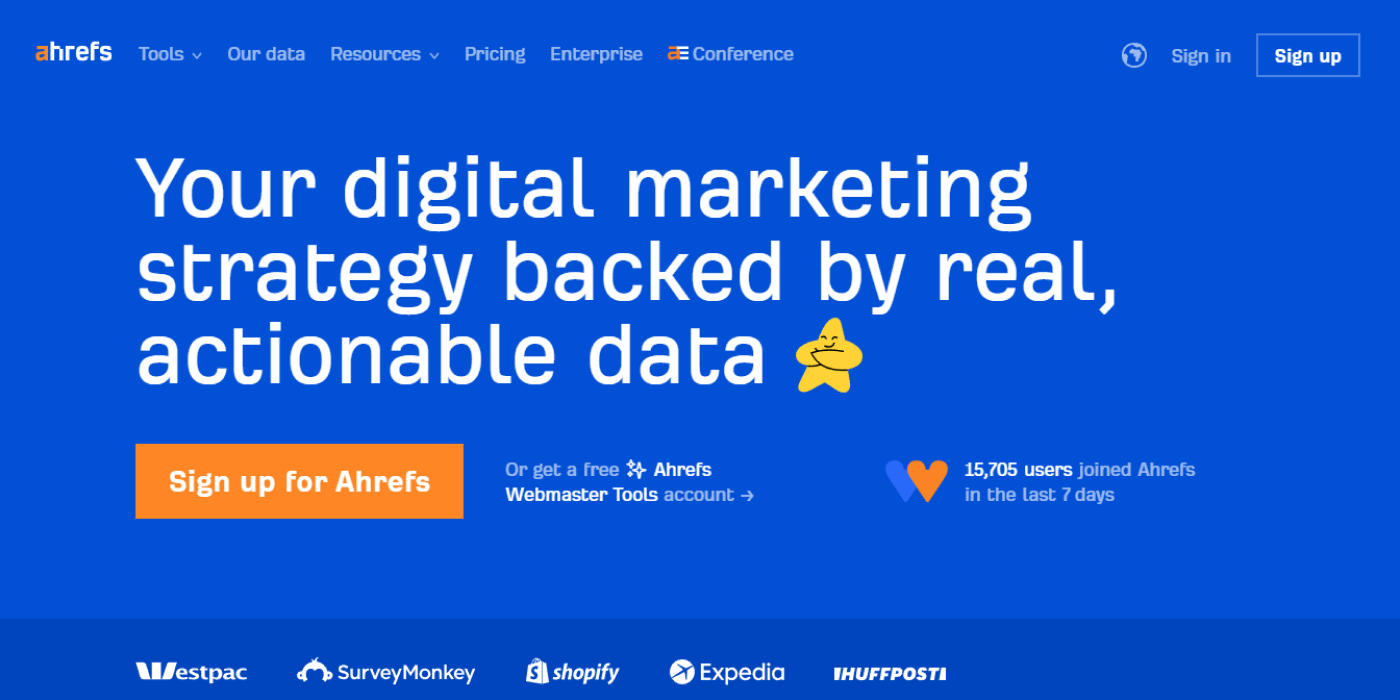
Ahrefs is an SEO intelligence platform built around backlink indexing, keyword research, competitor analysis, rank tracking, and technical auditing. Site Explorer differentiates the platform by connecting a competitor’s backlinks, ranking keywords, traffic estimates, and top-performing pages.
-
Evaluates keyword demand, ranking difficulty, traffic potential, and SERP history
-
Extends brand monitoring into AI-search prompts through Brand Radar
Pricing:
-
Starter: $29 per month
-
Lite: $129 per month
-
Standard: $249 per month
-
Advanced: $449 per month
-
Enterprise: Starts at $1,499 per month with an annual commitment
Key features:
-
Site Explorer
-
Keywords Explorer
-
Site Audit
-
Rank Tracker
-
Brand Radar
Pros:
-
Connects backlink data with keyword and page-level performance
-
Provides a $29 entry product for limited research requirements
-
Includes technical auditing and rank tracking within the platform
Cons:
-
Starter does not provide the complete Lite feature set
-
Content Explorer requires Standard or a higher plan
-
Enterprise access requires a substantial annual commitment
3. Moz Pro
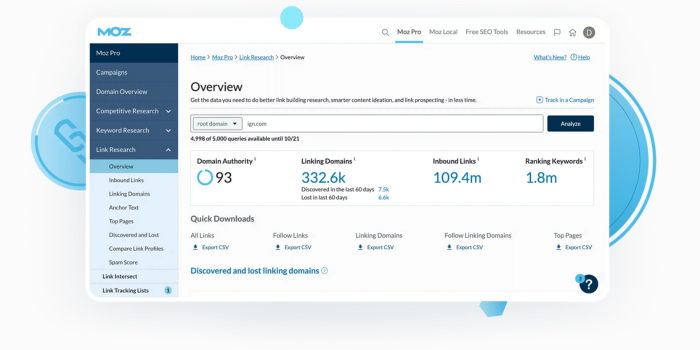
Moz Pro combines keyword research, rank tracking, site crawling, backlink analysis, and on-page optimization. It is best known for proprietary benchmarks such as Domain Authority, Page Authority, and Brand Authority.
-
Uses campaign-based reporting to monitor rankings, crawl health, links, and page optimization
-
Provides standardized authority metrics for domain and competitor comparisons
Pricing:
-
Starter: Starts at $49 per month
-
Standard: Starts at $99 per month
-
Medium: Starts at $179 per month
-
Large: Starts at $299 per month
-
Enterprise: Custom pricing
-
Annual billing lowers the effective monthly rate
Key features:
-
Keyword Explorer
-
Link Explorer
-
Site Crawl
-
Rank Tracking
-
Domain Authority
Pros:
-
Covers the core research, crawling, link, and ranking workflows
-
Provides established domain- and page-level authority metrics
-
Offers several plans for different campaign and tracking volumes
Cons:
-
Keyword, campaign, and crawl limits vary by plan
-
Larger-scale tracking requires Medium, Large, or Enterprise
-
Moz Local and STAT operate as separate products
Official Moz Pro pricing
4. BuzzSumo
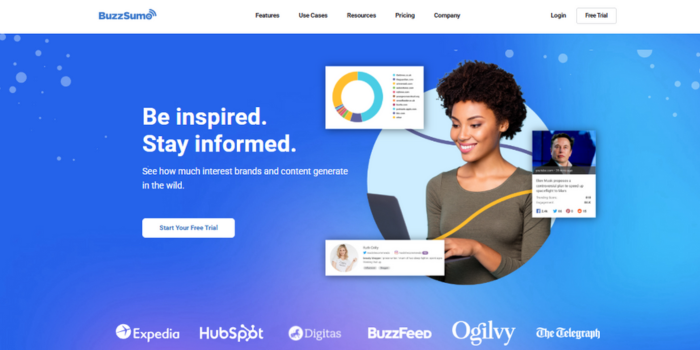
BuzzSumo analyzes content engagement, trending topics, audience questions, media coverage, journalists, and creators. Its searchable content index helps teams validate demand and distribution potential before committing production resources.
-
Tracks fast-moving stories through real-time and 24-hour trend feeds
-
Connects content research with journalist discovery and coverage reporting
Pricing:
-
Content Creation: $199 per month with annual billing
-
PR & Comms: $299 per month with annual billing
-
Suite: $499 per month with annual billing
-
Enterprise: $999 per month with annual billing
Key features:
-
Content Analyzer
-
Trending Feeds
-
Question Analyzer
-
Media Database
-
Coverage Reports
Pros:
-
Supports content research, media intelligence, and digital PR
-
Provides unlimited searches across paid plans
-
Identifies questions from forums and audience-driven platforms
Cons:
-
The entry paid plan costs $199 per month
-
Content Creation includes one user and two alerts
-
Advanced media and outreach functions require higher plans
5. Clearscope
Clearscope is a content optimization platform that evaluates semantic relevance, topic coverage, and search intent. Its grading system converts competitive SERP data into clear editorial requirements for writers and reviewers.
-
Monitors published pages for performance decline and refresh opportunities
-
Tracks brand visibility across selected AI-search prompts
Pricing:
-
Essentials: $129 per month
-
Business: $399 per month
-
Enterprise: Custom pricing
Key features:
-
Content Reports
-
Content Inventory
-
Topic Exploration
-
Prompt Tracking
-
Google Docs Integration
Pros:
-
Gives writers a standardized optimization score
-
Supports draft optimization and published-page monitoring
-
Includes sharing and exporting across paid plans
Cons:
-
Essentials costs $129 per month
-
Essentials limits monthly drafts and topic explorations
-
It does not replace backlink analysis or technical SEO software
6. Surfer
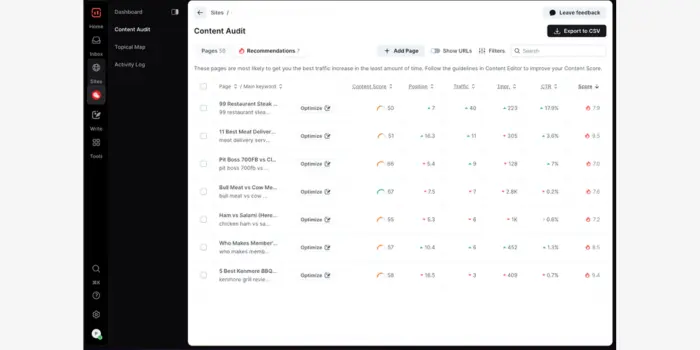
Surfer is an on-page optimization platform that compares drafts and published pages against live SERP patterns. Its Content Editor translates competitor structure, terminology, and topical coverage into page-level recommendations.
-
Audits existing pages against current ranking conditions
-
Identifies internal-link and sitewide content-coverage gaps on eligible plans
Pricing:
-
Discovery: $49 per month with annual billing
-
Standard: $99 per month with annual billing
-
Pro: $182 per month with annual billing
-
Peace of Mind: $299 per month with annual billing
-
Enterprise: Starts at $999 per month
Key features:
-
Content Editor
-
Content Audit
-
Content Score
-
Internal Linking
-
AI Visibility Tracking
Pros:
-
Supports new-content production and page refreshes
-
Converts current SERP data into measurable recommendations
-
Adds brand and AI-search monitoring on eligible plans
Cons:
-
Displayed entry prices require annual billing
-
Internal linking and coverage-gap analysis require higher plans
-
The Discovery plan tracks only a limited number of existing pages
7. Frase
Frase combines SERP research, content briefing, optimization, AI drafting, governance, and AI-search visibility tracking. Content Guard differentiates the platform by monitoring published pages for decay, performance shifts, and update requirements.
-
Scores content for traditional search and generative-engine coverage
-
Publishes to supported content management systems from the same workflow
Pricing:
-
Starter: $39 per month with annual billing or $49 month-to-month
-
Professional: $103 per month with annual billing or $129 month-to-month
-
Scale: $239 per month with annual billing or $299 month-to-month
-
Enterprise: Custom pricing
Key features:
-
Frase Answers
-
Content Briefs
-
SEO and GEO Scores
-
AI Visibility
-
Content Guard
Pros:
-
Connects research, production, optimization, and monitoring
-
Starter includes content auditing and CMS publishing
-
Scale supports multiple domains and larger content volumes
Cons:
-
Starter supports one user and one website
-
Perplexity monitoring begins at Professional
-
Claude, Gemini, reporting, and repurposing require Scale
8. MarketMuse
MarketMuse analyzes topical authority, competitive gaps, content quality, and sitewide opportunity. Personalized Difficulty adjusts ranking difficulty to the authority of the specific domain instead of applying one generic score to every website.
-
Evaluates an entire content inventory by topic, authority, and opportunity
-
Produces strategy documents and content briefs for prioritized subjects
Pricing:
-
Free: $0 with 10 monthly queries
-
Optimize: Pricing available from MarketMuse
-
Research: Pricing available from MarketMuse
-
Strategy: Pricing available from MarketMuse
Key features:
-
Content Inventory
-
Topic Authority
-
Personalized Difficulty
-
Content Briefs
-
Strategy Documents
Pros:
-
Measures opportunity against the website’s existing authority
-
Supports page, cluster, and sitewide planning
-
Provides a free plan for limited analysis
Cons:
-
MarketMuse does not publish fixed prices for its paid plans
-
The Free plan limits users to 10 monthly queries
-
It does not provide technical crawling, publishing, or distribution
9. Content Harmony
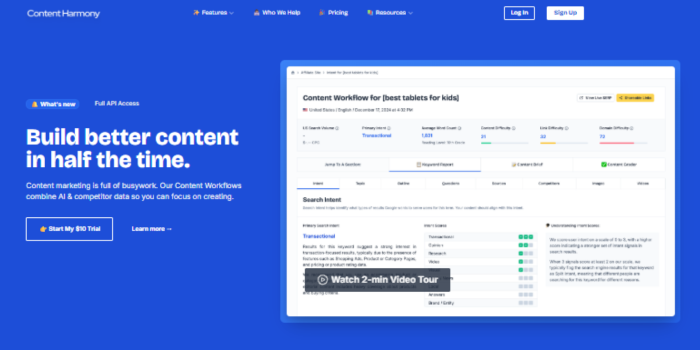
Content Harmony converts search intent, competitor structures, questions, entities, visual requirements, and SERP data into standardized content briefs. Each workflow includes research, briefing, and post-draft grading.
-
Includes unlimited users and projects across standard paid plans
-
Allows unused workflow credits to roll over while the account remains active
Pricing:
-
Standard 5: $50 per month
-
Standard 12: $99 per month
-
Standard 25: $199 per month
-
Standard 50: $299 per month
-
Enterprise: Starts at $1,000 per month
-
Annual billing lowers the effective monthly rate
Key features:
-
Search Intent Analysis
-
Topic Models
-
Competitor Outlines
-
Question Analysis
-
Content Grader
Pros:
-
Standardizes briefs across writers, clients, and campaigns
-
Includes unlimited users and projects
-
Combines pre-production research with post-draft grading
Cons:
-
The entry plan includes five monthly workflows
-
High-volume production requires a higher plan
-
It does not publish or distribute completed content
10. Letterdrop
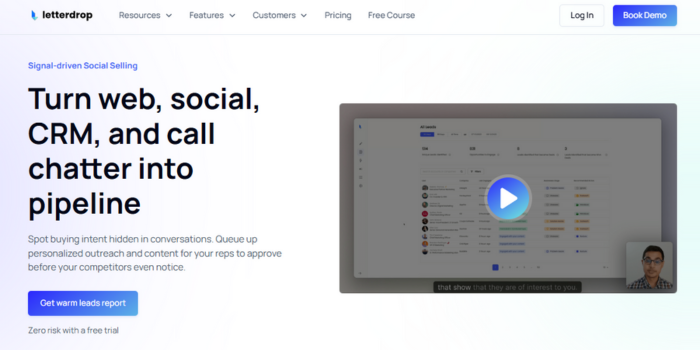
Letterdrop connects content engagement, competitor activity, website behavior, and account-level buying signals. Its current product scope focuses on identifying in-market accounts and activating sales opportunities rather than functioning only as a writing platform.
-
Flags renewed activity from closed or lost opportunities
-
Tracks former customer champions when they join qualified companies
Pricing:
-
Letterdrop does not publish fixed plan prices
-
Current pricing requires a product consultation
Key features:
-
Competitor Monitoring
-
Closed/Lost Revival
-
Champion Job Changes
-
Website Visitor Intelligence
-
Content Revenue Attribution
Pros:
-
Connects content engagement with identifiable accounts
-
Supports both marketing and sales workflows
-
Measures content against pipeline activity rather than traffic alone
Cons:
-
The vendor does not publish fixed pricing
-
The platform extends beyond standard content optimization
-
Teams seeking only writing support may not use its sales-intelligence functions
B. Writing, Design, Audio, and Video Tools
These platforms turn approved ideas into written, visual, audio, and video assets while shortening production and editing times.
11. Canva
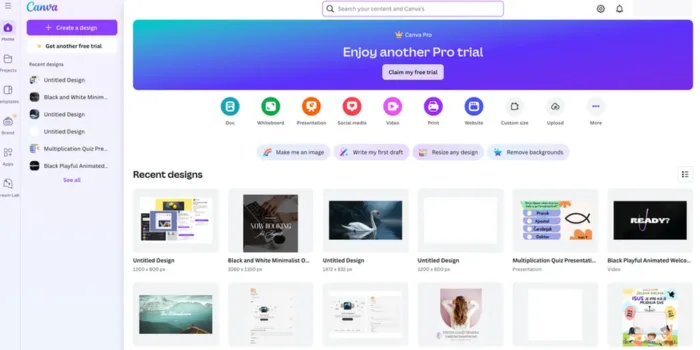
Canva is a visual production platform for social graphics, presentations, documents, video, websites, and campaign assets. Brand Kit and reusable templates help non-design teams create assets within approved visual standards.
-
Magic Resize converts one design into multiple platform dimensions
-
Magic Studio supports AI-assisted copy, image, layout, and video production
Pricing:
-
Canva Free: $0
-
Canva Pro: Pricing varies by location and billing cycle
-
Canva Business: Pricing varies by location and billing cycle
-
Canva Enterprise: Custom pricing
Key features:
-
Brand Kit
-
Brand Templates
-
Magic Resize
-
Magic Studio
-
Content Planner
Pros:
-
Supports multiple visual and document formats
-
Centralizes approved brand assets and templates
-
Allows teams to resize campaign assets across channels
Cons:
-
Canva does not display one universal USD price across all markets
-
Advanced brand controls require a paid plan
-
Enterprise administration and security require custom pricing
12. Grammarly
Grammarly is an AI-assisted writing platform for grammar, clarity, tone, rewriting, and brand consistency. Its business controls enforce approved terminology, style rules, and brand tone across supported writing environments.
-
Works across browsers, documents, email, and collaboration applications
-
Knowledge Share surfaces approved internal information while employees write
Pricing:
-
Free: $0
-
Pro: Starts at $12 per member per month
-
Enterprise: Custom pricing
Key features:
-
Full-Sentence Rewrites
-
Tone Adjustments
-
Style Guides
-
Plagiarism and AI Detection
-
Knowledge Share
Pros:
-
Applies writing guidance across multiple business applications
-
Centralizes grammar, tone, and brand-style enforcement
-
Pro includes 2,000 AI prompts per member each month
Cons:
-
Enterprise governance requires custom pricing
-
Automated rewrites still require factual and technical review
-
Teams must configure specialized terminology through style controls
13. Hemingway Editor
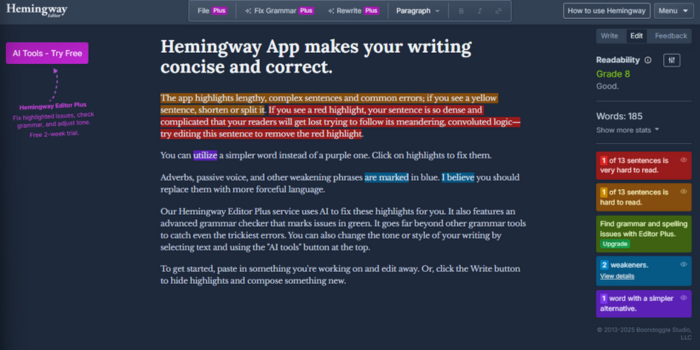
Hemingway Editor identifies dense sentences, passive voice, weak phrasing, and excessive reading complexity. Hemingway Editor Plus adds AI rewrites, grammar correction, tone controls, and document-level feedback.
-
Assigns a measurable readability grade
-
Uses color-coded flags to isolate specific sentence-level problems
Pricing:
-
Browser editor: Free
-
Individual 5K: $8.33 per month, billed annually
-
Individual 10K: $12.50 per month, billed annually
-
Team 10K: $12.50 per user per month, billed annually
-
Hemingway Editor Classic: $19.99 one-time purchase
Key features:
-
Readability Grade
-
Sentence Complexity Highlights
-
Passive-Voice Detection
-
AI Sentence Rewrites
-
Document Review
Pros:
-
Identifies readability problems without complex setup
-
Offers both subscription and one-time desktop options
-
Plus includes grammar correction and document reviews
Cons:
-
AI rewrite limits depend on the selected plan
-
Classic does not include the newer AI capabilities
-
The platform does not evaluate search intent or factual accuracy
14. Descript
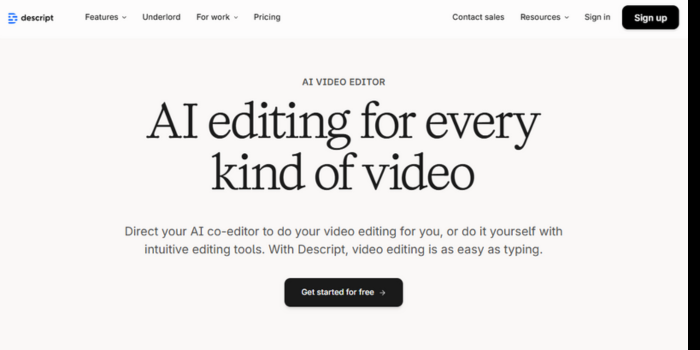
Descript is an audio and video production platform that allows teams to edit recorded media through its transcript. Users can remove words, restructure sections, improve audio, generate captions, and extract shorter clips without editing a conventional timeline.
-
Underlord applies AI-assisted editing and repurposing actions
-
Studio Sound reduces background noise and improves voice clarity
Pricing:
-
Free: $0
-
Hobbyist: $16 per month with annual billing or $24 month-to-month
-
Creator: $24 per month with annual billing or $35 month-to-month
-
Business: $50 per month with annual billing or $65 month-to-month
-
Enterprise: Custom pricing
Key features:
-
Text-Based Editing
-
Underlord
-
Studio Sound
-
Create Clips
-
AI Speech
Pros:
-
Combines recording, transcription, editing, and repurposing
-
Reduces timeline-based editing for interviews and webinars
-
Supports captions and collaborative review
Cons:
-
Media and AI usage limits vary by plan
-
Advanced team controls require higher subscriptions
-
Complex motion graphics still require specialized video software
15. Loom
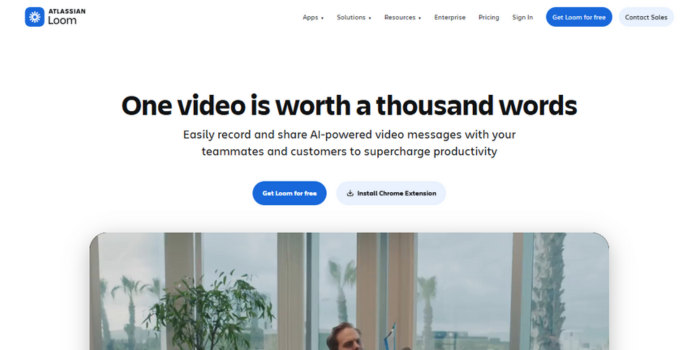
Loom is an asynchronous screen- and camera-recording platform for walkthroughs, product demonstrations, executive commentary, and internal communication. Its AI layer converts recordings into transcripts, summaries, chapters, titles, and action items.
-
Tracks views, completion, and viewer engagement
-
Removes fixed recording limits on the Business plan
Pricing:
-
Starter: Free
-
Business: $18 per user per month
-
Business + AI: $24 per user per month
-
Enterprise: Custom pricing
Key features:
-
Screen and Camera Recording
-
Automatic Transcription
-
Engagement Analytics
-
AI Summaries and Chapters
-
AI Action Items
Pros:
-
Reduces production work for expert-led video
-
Business provides unlimited recording and video length
-
Captures viewer-level engagement data
Cons:
-
Starter limits users to 25 recordings
-
Starter limits individual videos to five minutes
-
AI summaries and action items require Business + AI
C. Planning, Workflow, Knowledge, and Automation Tools
These tools control content ownership, deadlines, approvals, documentation, dependencies, and data transfers across the production workflow.
16. CoSchedule
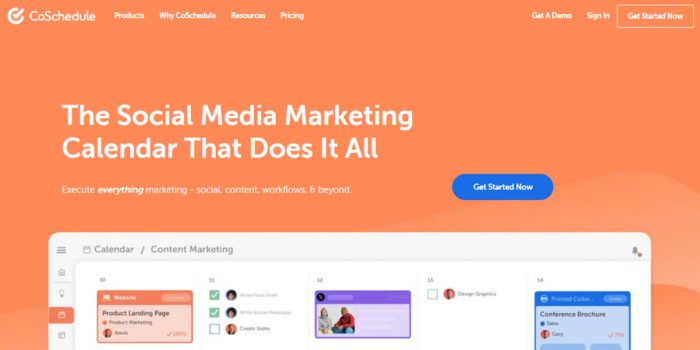
CoSchedule is a marketing calendar and campaign operations platform for planning, assigning, approving, scheduling, and distributing content. Its calendar-first model gives teams one operational view of campaigns, tasks, deadlines, and social posts.
-
ReQueue fills open social-calendar slots with approved evergreen content
-
Project templates standardize recurring campaign and editorial workflows
Pricing:
-
Free Calendar: $0
-
Social Calendar: $19 per user per month with annual billing
-
Content Calendar: Custom or account-specific pricing
-
Marketing Suite: Custom pricing
Key features:
-
Marketing Calendar
-
Social Scheduling
-
ReQueue
-
Approval Workflows
-
Project Templates
Pros:
-
Connects campaign planning with social publishing
-
Provides a dedicated marketing calendar
-
Offers a free entry product for basic planning
Cons:
-
Social Calendar supports up to three users
-
The entry-paid plan includes three social profiles
-
Full content operations require a higher or sales-led plan
17. Notion
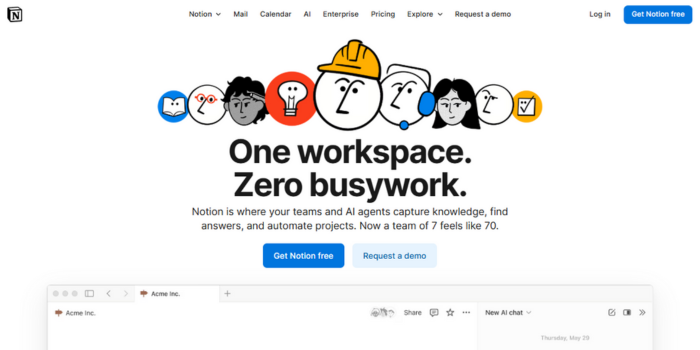
Notion is a connected workspace for documents, databases, projects, forms, knowledge, and internal sites. Its database model lets teams connect briefs, assets, owners, campaign stages, channels, and publishing dates.
-
Displays the same database through table, board, calendar, timeline, and filtered views
-
Notion Agent searches and acts across workspace information on eligible plans
Pricing:
-
Free: $0
-
Plus: $10 per member per month
-
Business: $20 per member per month
-
Enterprise: Custom pricing
-
Custom AI agents use additional credits
Key features:
-
Databases
-
Linked Views
-
Forms
-
Notion Agent
-
Enterprise Search
Pros:
-
Combines documentation and structured workflow records
-
Supports configurable editorial calendars and content libraries
-
Provides free and low-cost entry plans
Cons:
-
Advanced AI and governance require Business or Enterprise
-
Custom agents introduce credit-based costs
-
Flexible databases require internal naming and architecture standards
18. ClickUp
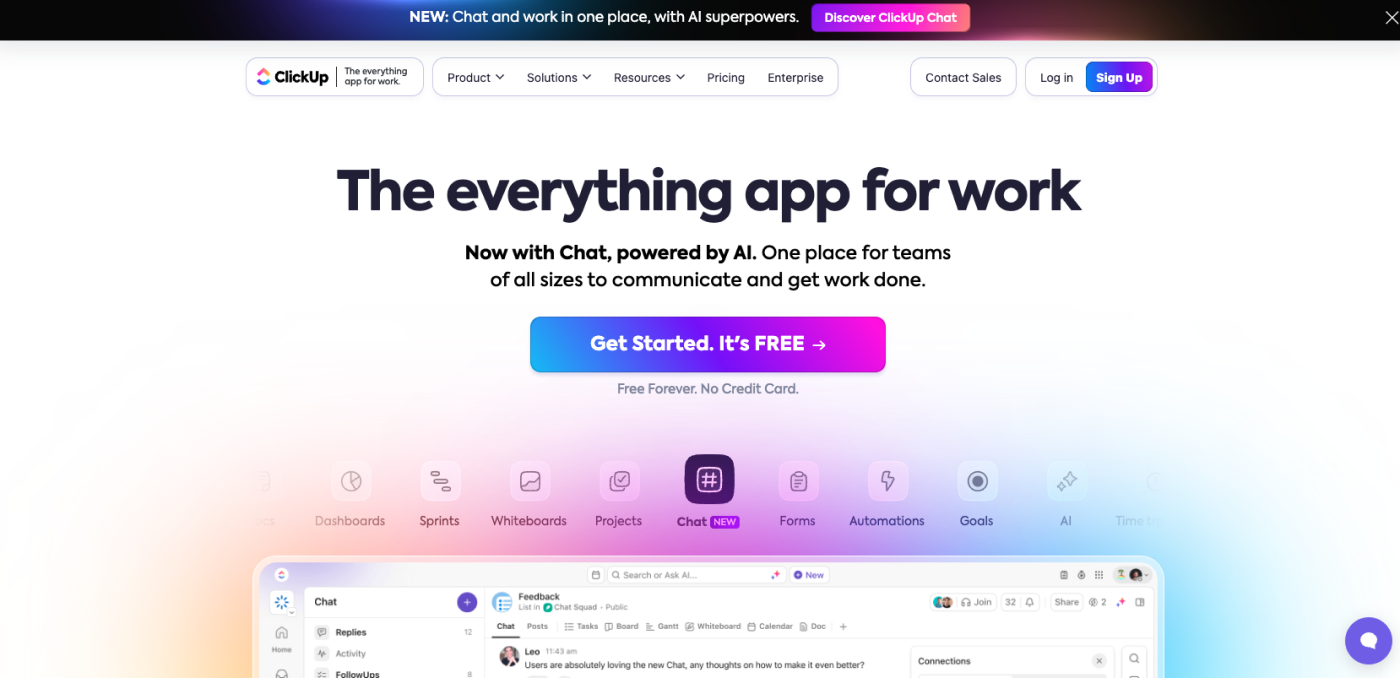
ClickUp is a work-management platform for tasks, documents, dependencies, automation, reporting, and capacity planning. It supports complex content operations involving multiple teams, approval stages, recurring deliverables, and production dependencies.
-
Custom fields and statuses model detailed editorial stages
-
Workload and dashboard views expose team capacity and workflow delays
Pricing:
-
Free Forever: $0
-
Unlimited: $7 per user per month with annual billing
-
Business: $12 per user per month with annual billing
-
Enterprise: Custom pricing
-
Brain AI: $9 per user per month
-
Everything AI: $28 per user per month
Key features:
-
Custom Workflows
-
Workload View
-
Dashboards
-
Automations
-
Proofing
Pros:
-
Supports cross-functional production and approval workflows
-
Includes documents, time tracking, and Gantt views on paid plans
-
Unlimited starts at $7 per user per month
Cons:
-
AI capabilities require an additional subscription
-
Advanced workload and dashboard controls require higher plans
-
Complex implementations require active workspace governance
19. Airtable

Airtable is a relational database and application platform for structured content operations. It connects campaigns, assets, metadata, channels, contributors, approvals, and performance records without requiring a custom-built database.
-
Linked records create relationships between content and campaign data
-
Interfaces give teams role-specific operational views
Pricing:
-
Free: $0
-
Team: $20 per user per month with annual billing
-
Business: $45 per user per month with annual billing
-
Enterprise Scale: Custom pricing
Key features:
-
Linked Records
-
Interfaces
-
Automations
-
Multiple Views
-
Airtable AI
Pros:
-
Handles relational content data that flat spreadsheets cannot
-
Supports forms, interfaces, automations, and multiple views
-
Charges primarily for users with editing permissions
Cons:
-
Business costs $45 per editor each month with annual billing
-
AI and automation limits vary by plan
-
Complex bases require schema and data-governance ownership
20. Slite
Slite is an AI-assisted knowledge base for editorial standards, policies, brand guidelines, approved claims, and operating procedures. Its verification controls distinguish reviewed documents from stale or unmaintained information.
-
Assigns ownership and review status to critical documents
-
Searches workspace content and connected systems through Slite Agent
Pricing:
-
Basic: $10 per member per month with annual billing
-
Pro: $20 per member per month with annual billing
-
Enterprise: Custom pricing
Key features:
-
Document Verification
-
Slite Agent
-
Connected Search
-
Recurring Documents
-
Knowledge Analytics
Pros:
-
Adds ownership and verification to internal knowledge
-
Includes collaborative documents and AI-assisted search
-
Pro supports cross-tool search and agent capabilities
Cons:
-
Basic limits file uploads to 200 MB
-
Basic limits AI-question usage per seat
-
Campaign scheduling still requires a project-management tool
21. Zapier
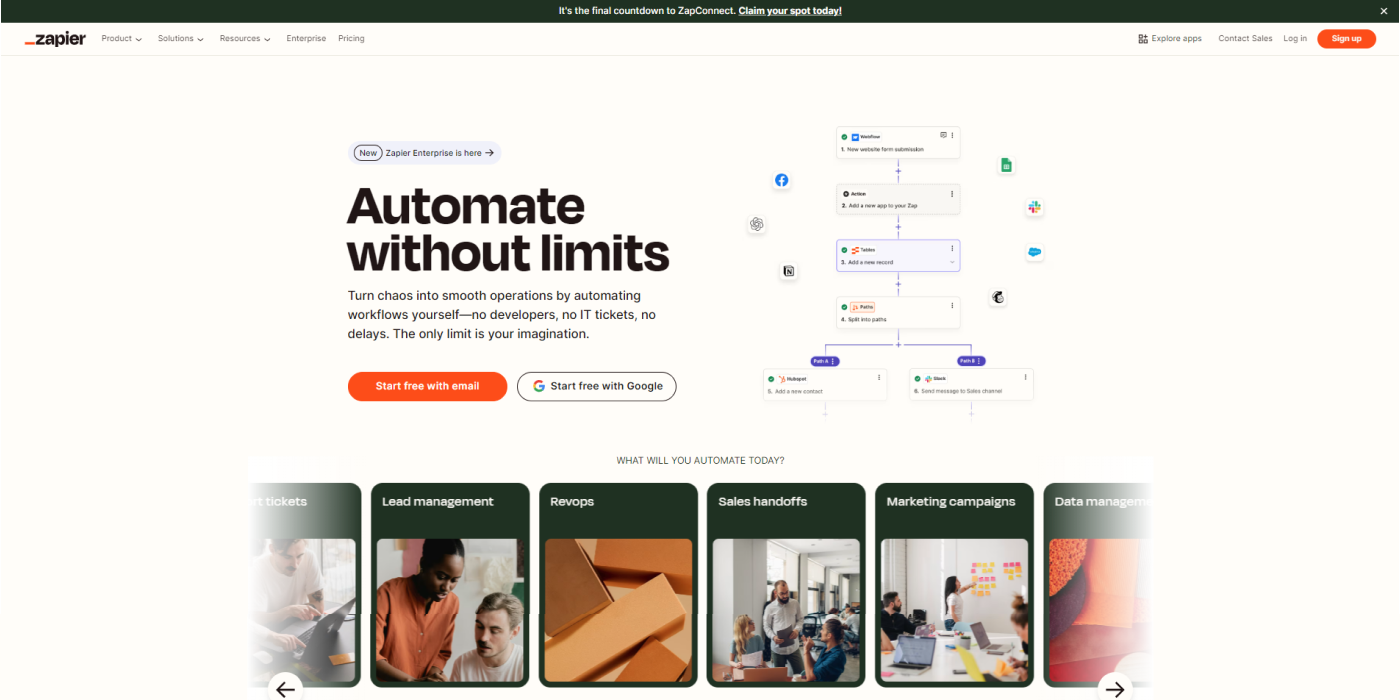
Zapier is a workflow automation platform that connects applications through triggers, actions, conditional logic, forms, and data tables. Content teams use it to move information between research, project management, publishing, CRM, and reporting systems.
-
Connects more than 9,000 supported applications
-
Combines Zaps, Tables, and Forms inside one automation environment
Pricing:
-
Free: $0 with 100 monthly tasks
-
Professional: Starts at $19.99 per month
-
Team: Starts at $69 per month for up to 25 users
-
Enterprise: Custom pricing
Key features:
-
Multi-Step Zaps
-
Paths
-
Webhooks
-
Zapier Tables
-
Zapier Forms
Pros:
-
Supports a large application ecosystem
-
Combines workflow automation, forms, and operational data
-
Provides no-code and low-code implementation options
Cons:
-
Free includes 100 monthly tasks
-
Subscription costs increase with task volume
-
Incorrect workflow logic can duplicate or overwrite connected data
D. Content Management, Publishing, and Newsletter Tools
These platforms manage, control, publish, and distribute content via websites, applications, email lists, and digital channels.
22. HubSpot Content Hub
HubSpot Content Hub combines website management, blogging, landing pages, personalization, analytics, podcasts, and AI production with HubSpot CRM data. It differentiates itself by connecting content engagement with contacts, lifecycle stages, campaigns, and revenue activity.
-
Content Remix converts one source asset into multiple content formats
-
CRM data supports personalized pages and content attribution
Pricing:
-
Free: $0 for up to two users
-
Starter: Promotional and standard rates vary by billing cycle
-
Professional: $450 per month with annual billing or $500 month-to-month
-
Enterprise: $1,500 per month
Key features:
-
CMS and Blog Management
-
Content Remix
-
Personalization
-
A/B Testing
-
CRM Attribution
Pros:
-
Connects publishing directly with CRM data
-
Covers websites, blogs, landing pages, podcasts, and analytics
-
Provides a free entry plan
Cons:
-
Professional increases the base subscription to $450 per month
-
Additional core seats cost extra
-
AI agents and usage-based functions consume HubSpot Credits
23. StoryChief
StoryChief is a content operations platform for article production, SEO, GEO, social publishing, approvals, and multi-channel distribution. Teams can create one source asset and publish it through connected websites and social profiles.
-
Weekly content audits identify optimization issues across published pages
-
Editorial workflows combine articles, social posts, campaigns, and approvals
Pricing:
-
Social Media Calendar: $22 per month with annual billing
-
Team Social: $34 per seat per month with annual billing
-
Team Editorial: $81 per seat per month with annual billing
-
Agency Social: $58 per customer per month with annual billing
-
Larger-team plans: Custom pricing
Key features:
-
Multi-Channel Publishing
-
SEO and GEO Optimization
-
Editorial Calendar
-
Approval Workflows
-
Weekly Content Audit
Pros:
-
Combines article and social publishing
-
Includes approvals, project management, and analytics
-
Offers separate plans for internal teams and agencies
Cons:
-
Team Editorial costs $81 per seat per month annually
-
The social media calendar includes one user and three social channels
-
AI credit and article limits vary by plan
24. Contentful

Contentful is a headless content management platform for delivering structured content across websites, applications, products, and regional experiences. Its API-first architecture separates content from presentation and allows one record to support multiple channels.
-
Content models define reusable fields, references, and relationships
-
Localization manages regional and language variations within one system
Pricing:
-
Free: $0
-
Lite: $300 per month
-
Enterprise: Custom pricing
Key features:
-
Content Modeling
-
REST and GraphQL APIs
-
Localization
-
Scheduled Publishing
-
Live Collaboration
Pros:
-
Supports omnichannel delivery from one content source
-
Lite includes 20 users and one million monthly API calls
-
Separates content operations from front-end technology
Cons:
-
Lite starts at $300 per month
-
Lite limits roles and locales
-
Implementation requires content-modeling and development resources
25. Wordable
Wordable moves approved content from Google Docs into WordPress, HubSpot, and Medium. It cleans HTML, processes images, and applies publishing templates during export.
-
Preserves document formatting during CMS transfer
-
Downloads, compresses, and uploads images automatically
Pricing:
-
Wordable does not publish fixed plan prices
-
Pricing and product inquiries require direct contact with Wordable
-
Free exports expire after one month
-
Paid-plan exports expire after three months
Key features:
-
One-Click Export
-
HTML Cleanup
-
Image Compression
-
Publishing Templates
-
Multi-Site Publishing
Pros:
-
Removes manual copying and CMS reformatting
-
Supports WordPress, HubSpot, and Medium
-
Standardizes export settings across contributors
Cons:
-
The vendor does not publish fixed pricing
-
It does not provide keyword research or content optimization
-
Export availability expires based on account status
26. Beehiiv
Beehiiv is a newsletter, website, audience-growth, and monetization platform. It combines email publishing with recommendations, referral programs, subscriptions, advertising, automations, and audience analytics.
-
Charges no Beehiiv platform fee on paid subscriptions under eligible plans
-
Uses its Recommendation Network to support cross-publication audience growth
Pricing:
-
Launch: Free for up to 2,500 subscribers
-
Scale: Starts at $43 per month with annual billing
-
Max: Starts at $96 per month with annual billing
-
Enterprise: Custom pricing
-
Paid rates increase with subscriber volume
Key features:
-
Unlimited Email Sends
-
Recommendation Network
-
Referral Program
-
Email Automations
-
Ad Network
Pros:
-
Launch supports up to 2,500 subscribers at no cost
-
Scale includes paid subscriptions with a 0% platform fee
-
Combines publishing, growth, analytics, and monetization
Cons:
-
Subscription costs increase with audience size
-
Advanced automation and monetization require Scale or higher
-
Complex B2B lifecycle workflows may require a separate CRM
E. Social Media Distribution and Reporting Tools
These tools help you schedule content, manage audience interactions, enforce publishing workflows, and track performance across multiple social networks.
27. Buffer

Buffer is a social publishing and engagement platform for scheduling posts, organizing ideas, monitoring comments, and measuring channel performance. Its per-channel pricing gives small teams a predictable entry point.
-
Ideas stores drafts and concepts outside the scheduled publishing queue
-
Community consolidates supported comments and audience interactions
Pricing:
-
Free: $0 for up to three channels
-
Essentials: $5 per channel per month with annual billing
-
Collaboration plans charge by channel and included functionality
Key features:
-
Publishing Queue
-
Ideas
-
AI Assistant
-
Insights
-
Community
Pros:
-
Offers a free plan for three channels
-
Uses transparent per-channel pricing
-
Combines publishing, ideation, analytics, and engagement
Cons:
-
Free limits each channel to 10 scheduled posts
-
Costs rise with every connected channel
-
Advanced approvals require higher plans
28. Sprout Social

Sprout Social is a social media management platform for publishing, engagement, governance, customer care, monitoring, and reporting. Smart Inbox centralizes incoming messages, comments, and interactions across connected profiles.
-
Professional adds unlimited social profiles and competitive reporting
-
Advanced adds sentiment analysis, API access, service integrations, and spike alerts
Pricing:
-
Essentials: $79 per seat per month with annual billing
-
Standard: $199 per seat per month with annual billing
-
Professional: $299 per seat per month with annual billing
-
Advanced: $399 per seat per month with annual billing
-
Enterprise: Custom pricing
Key features:
-
Smart Inbox
-
Publishing and Scheduling
-
Keyword Monitoring
-
Competitor Reports
-
Message Spike Alerts
Pros:
-
Combines publishing, engagement, reporting, and customer care
-
Standard supports five social profiles
-
A professional removes the profile limit
Cons:
-
Standard costs $199 per seat per month
-
Advanced costs $399 per seat per month
-
API access and sentiment analysis require Advanced
29. Metricool
Metricool combines social planning, analytics, advertising data, competitor tracking, and client reporting. Higher-tier plans connect performance data with Looker Studio, API, and MCP workflows.
-
Consolidates organic and paid-media reporting
-
Supports multiple brands and client accounts from one workspace
Pricing:
-
Free: $0
-
Starter: Starts at $20 per month with annual billing
-
Advanced: Starts at $53 per month with annual billing
-
Custom: Tailored pricing
-
Rates increase with the number of managed brands
Key features:
-
Content Planner
-
Competitor Analysis
-
Advertising Dashboard
-
Custom Reports
-
Looker Studio Integration
Pros:
-
Combines organic, paid, competitor, and reporting workflows
-
Starts below many enterprise social platforms
-
Supports multi-brand and agency operations
Cons:
-
Pricing increases with managed brand volume
-
The Free plan excludes some network and reporting capabilities
-
API, Looker Studio, and approval workflows require Advanced
F. Content Performance and Attribution Tools
These platforms track how users discover, consume, and convert content, connecting engagement data to predefined business outcomes.
30. Google Analytics 4
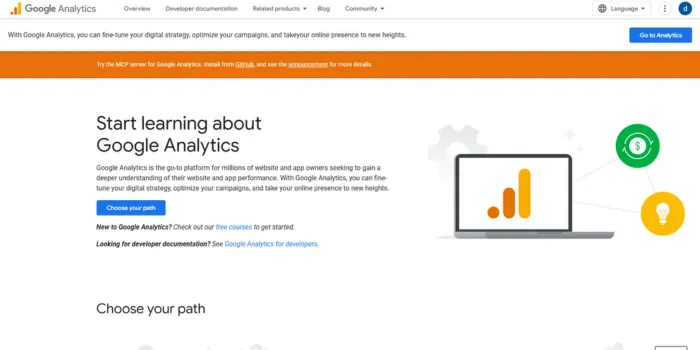
Google Analytics 4 is an event-based analytics platform for measuring website and application behavior. It tracks user interactions, acquisition sources, conversion events, audiences, and cross-platform journeys through a configurable event model.
-
Explorations supports funnel, path, segment, cohort, and custom analysis
-
Google Ads integration shares audiences, conversions, and campaign data
Pricing:
-
Google Analytics standard: Free
-
Google Analytics 360: Custom enterprise pricing
Key features:
-
Event-Based Measurement
-
Explorations
-
Attribution Reporting
-
Predictive Audiences
-
Google Ads Integration
Pros:
-
The standard platform is free
-
Supports website and application measurement
-
Provides configurable events, audiences, conversions, and reports
Cons:
-
Accurate B2B reporting requires a defined event architecture
-
Default reports do not provide complete CRM or opportunity attribution
-
Google does not publish a fixed Analytics 360 price
How To Choose The Right Content Marketing Tool?
Picking a content marketing tool today isn’t about choosing the most popular platform, it’s about choosing what actually works for your goals.
With tighter budgets, shorter attention spans, and smarter algorithms in play, the right tool can save you hours and drive real results. The wrong one? It just adds noise.
1. Start With Your Real Content Goals
Not every tool fits every team! Some are built for SEO-heavy blogs, others focus on social media services, analytics, or workflow management. Ask yourself:
- Are you trying to increase organic traffic?
- Do you need faster content production?
- Is performance tracking your biggest gap?
2. Look for Ease, Not Complexity
If a tool takes weeks to understand, your team won’t use it fully. The best content marketing tools are simple, intuitive, and easy to plug into your existing process.
3. Check Data, Insights, and Reporting
Content without measurement is just guesswork. Therefore, your tool should clearly show what’s working and what’s not, like traffic trends, engagement, conversions, and content gaps
4. Make Sure It Scales With You
What works for a small team today should still work when campaigns grow tomorrow. So, look for tools that support collaboration, multiple channels, and long-term planning without charging extra for every small upgrade.
How Saffron Edge Helps You Choose (and Use) the Right Tool?
At Saffron Edge, we don’t just recommend tools, we help you use the right ones effectively. Our team evaluates your content goals, current workflow, and growth plans before recommending platforms that truly align with your needs.
We help brands:
- To identify the tools that match their strategy
- To set up systems that save time and reduce content friction
- To turn insights into action, not just reports
Conclusion
The right content marketing tools can make a big difference in how well your strategy performs in 2026. The above blog walks you through the best content marketing tools for SEO, content creation, design, planning, and tracking results, so you know exactly what to use and why.
Instead of trying every tool available, the key is to choose ones that match your goals, such as organic traffic, creating better content faster, or managing your workflow more smoothly.
Moreover, tools like Semrush, Canva, HubSpot, and Google Analytics each serve a clear purpose and work best when used together. With the right setup, these tools help you save time, stay consistent, and create content that your audience finds useful and trustworthy.
At last, a smart tool stack, paired with a clear strategy, sets you up for long-term content success in 2026.
Still guessing which content marketing tools actually work?
Stop wasting time on tools that don’t deliver results. Get a clear content marketing stack built around SEO, creation, and performance that is designed to match your goals and scale in 2026.



Your SEO, on autopilot
Saffron OS runs 15+ AI agents that audit your visibility across Google, ChatGPT, Gemini and Perplexity every day — then fix what's broken, automatically. Built over 18 months. Results in 2–15 minutes.
Explore Saffron OSFAQs
Which type of content marketing tool matters the most?

There is no single “most important” tool because it depends on your marketing objective. If organic traffic is your focus, SEO tools like Semrush are essential. For visual branding, Canva plays a bigger role. If managing content across teams is the priority, platforms like HubSpot or Trello become more valuable. The best approach is to align tools with your primary goal rather than following trends.
Are AI content marketing tools worth using in 2026?
Yes, when used correctly, AI tools help speed up idea generation, outline creation, and social post drafting. Tools like AnswerThePublic support research, while platforms like MagicPost assist with content creation. However, AI works best as a support system, not a replacement for human insight, originality, and brand voice.
How do I choose the right content marketing tools for my needs?
You can start by clearly defining what you want to achieve, whether it’s better rankings, higher engagement, or more leads. Next, evaluate your budget, team size, and current tech stack. After that, tools that integrate smoothly with your existing platforms will save time and reduce friction. Also, testing free trials before committing is a smart move.
Are free content marketing tools actually useful?
Absolutely, many free tools deliver strong value, especially for beginners and small teams. This Google Analytics helps track performance, Canva’s free version supports basic design needs, and Unsplash provides high-quality visuals at no cost. While paid tools give advanced features, free tools can still support a solid content strategy.

Shreya Debnath

Shreya Debnath is a Marketing Manager at Saffron Edge with over 5 years of experience in SEO, AI-driven marketing, growth marketing, and technical SEO. She has hands-on expertise in optimizing existing content, improving performance, and driving scalable growth through data-backed strategies. She has worked with international markets, especially the US and UK, and diverse teams to build effective marketing campaigns, strengthen brand positioning, and enhance audience engagement across multiple channels. Her approach focuses on aligning sales and marketing to ensure consistent and measurable results. Outside of work, Shreya enjoys exploring new cities, pursuing creative hobbies, and discovering unique stories through travel and local experiences.
Related Blogs
We explore and publish the latest & most underrated content before it becomes a trend.

4 min read
Prepare for Google’s New Algorithm Update: Page Experience 2025
By Vibhu Satpaul
6 min read
Affiliate Marketing on X: A Complete Guide to Monetize Twitter with Affiliate Links
By Sabah Noor
9 min read
Top 12 B2B Inbound Marketing Agencies in 2025 for Business Growth
By Sabah Noor

Subscribe to Saffron Edge Newsletter!


Your SEO, on autopilot
Saffron OS runs 15+ AI agents that audit your visibility across Google, ChatGPT, Gemini and Perplexity every day — then fix what's broken, automatically. Built over 18 months. Results in 2–15 minutes.
Explore Saffron OS